

A picture with its story
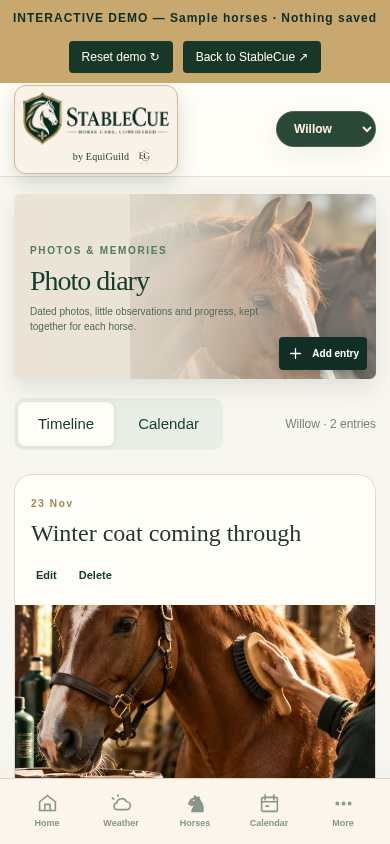
Add up to six compressed photos to an entry, with captions, title, date, category and notes. Take a new photo or choose existing pictures to follow care, condition, training and everyday moments.
Browse the timeline or calendar and link a care record belonging to the same horse. Keep important original photographs separately.
Private unless you choose to share
Photo entries are private by default. Share selected entries with the horse’s current care team. Only the author can edit or delete an entry.
Offline access to photos is limited to some recently viewed copies. Queued changes sync when you reconnect.
Follow changes over time
Use dates, categories and notes to make pictures easier to find later. The diary can document changes in condition, hoof care or training alongside ordinary moments at the yard. Pictures and notes are records, not an automated diagnosis or assessment of your horse.
How to use it in StableCue
- Select the horse and open Photo diary.
- Add dated pictures, captions and notes.
- Choose whether the entry is shared, then save.
- Browse the calendar or timeline to revisit earlier entries.
Common questions
Is this included in my membership?
Yes. Monthly and annual membership include the same tools and unlimited horse profiles for one user.
Can I try it first?
Use the interactive demo with fictional horses. Demo changes last only for that session; no account is required.
Available in the iPhone and Android apps with membership. The public demo uses fictional records and sends no phone alerts. View membership and renewal information.
How do you compare dated photographs?
A photo buried in the camera roll may not show which horse it belongs to or why it was taken. A dated diary lets you keep captions, observations and linked care entries together for later reference.
Putting it into practice
- 1Choose the horse and add a dated photo.
- 2Write a useful caption or link related care information.
- 3Browse the calendar or timeline to compare entries.
Why this record can be useful
Share only the entries suitable for a particular authorised carer. The photo diary can include both everyday memories and care observations.
Can I use it for both memories and care progress?
Yes. The photo diary keeps dated pictures and notes under each horse and supports selected sharing.